
Arrange the Tabs Beside Your Working Notes
While you work on a ticket, the tabs beside your Working Notes now end with More, as the full ticket view’s tabs do. Choose More, then Arrange tabs…, to decide which tabs stay on the bar and which move under More, and in what order.
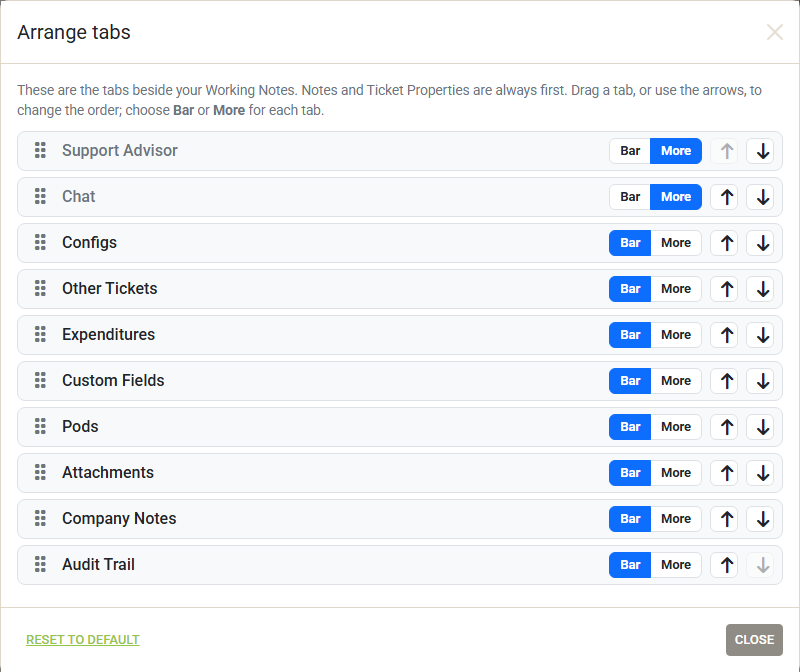
- Notes and Ticket Properties always come first. Every other tab, Support Advisor and Chat included, can go on the bar or under More. Drag a tab or use the arrows to reorder it.
- A tab under More is one click away: choose it from the menu, and More shows its name while it is open. Use the pin beside it to put it back on the bar.
- Your arrangement follows you to any browser, and it is separate from the full ticket view’s. Reset to default brings back the usual order.
- A new chat message still opens Chat for you, even when it is under More, and whatever you are typing in Working Notes keeps its place.
In the full ticket view, Chat now has a row of its own in Arrange tabs…, so you can place it apart from Support Advisor.