Project Timeline and Ticket Scheduling
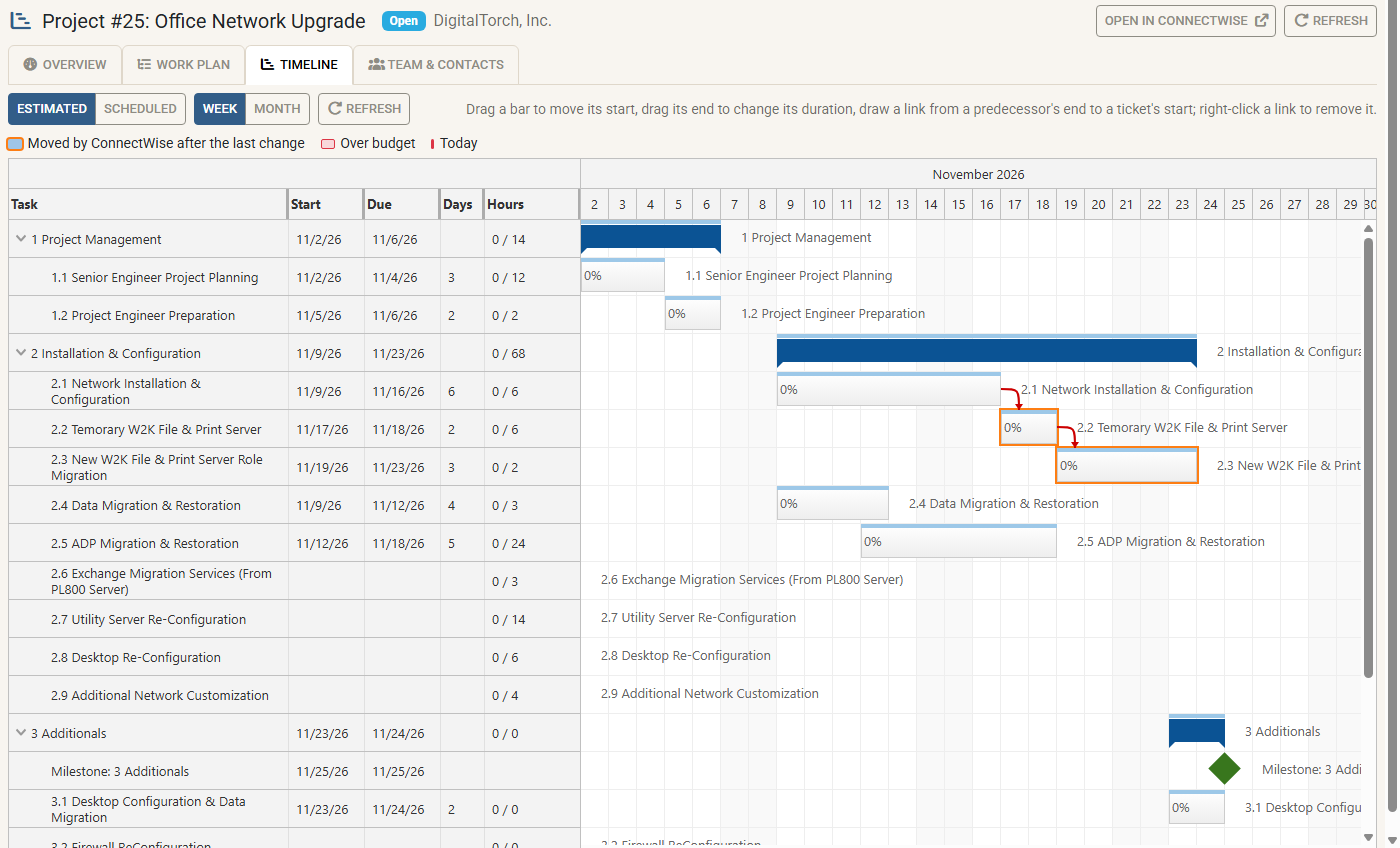
Each project tab now has a Timeline: a Gantt chart of the project’s phases and tickets, with each ticket’s predecessor drawn as an arrow, milestones, and a line for today. Switch between week and month, or between estimated and scheduled dates.
If your role can change project scheduling, you can drag a ticket to move its start, drag its end to change its duration, and draw a link to set its predecessor. ConnectWise then reschedules the tickets that follow, and MTX highlights the ones it moved.
A project ticket’s properties now include Estimated Start, Duration, Due Date, Predecessor and Lag. Setting the start of a ticket that has a predecessor earlier than the predecessor allows removes the predecessor, so MTX asks first.
The Projects tab also has a timeline view of your projects, which you can expand to show each project’s phases.