
Find a Company's Earlier Tickets by Their Notes
Looking for the ticket where you did something for this client before? Type a word or a name in the new search bar at the top of a ticket’s Other Tickets tab, such as “offboard”, and press Search.
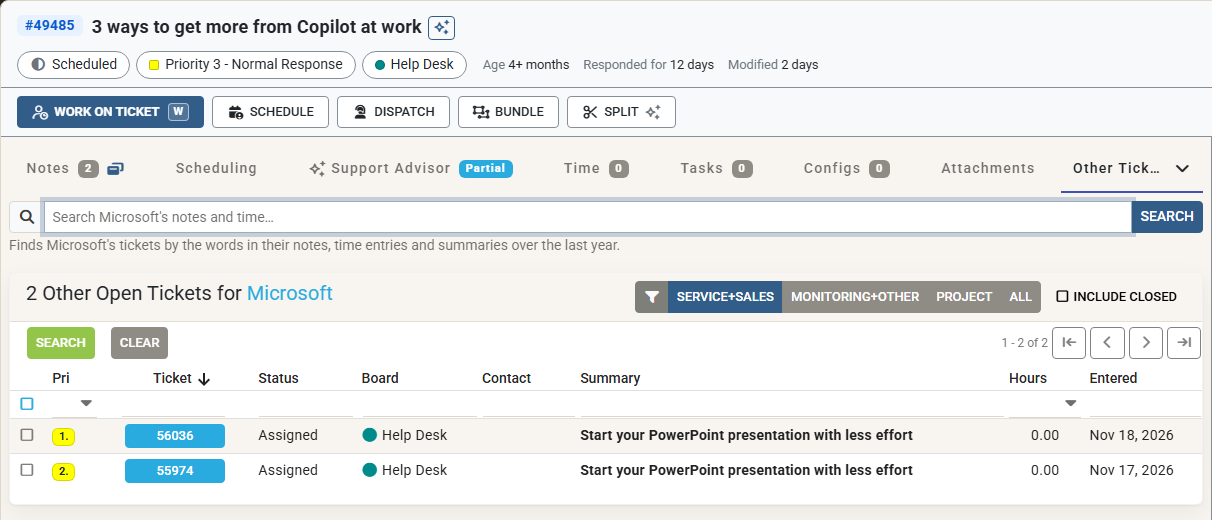
- Within the ticket’s company, over the last year. The search opens Notes/Time Search for the ticket’s company and searches its time entries, ticket notes and summaries from the last 365 days. Change From to search another range, or choose Search all companies beside the results to widen it; the dates stay as they are.
- Wherever you work the ticket. The same search bar is above the notes in Work on Ticket: in the compact ticket summary of a narrow window, and in the Notes panel opened on the left.
- Search in Work on Ticket’s Notes tab. The notes search box and the Search other tickets’ notes and time button are now in the Notes tab’s header, beside the view controls, instead of in the Filter Notes menu.
Any search opened from a ticket with a company now starts with the last year rather than the last 90 days. Clear brings back that year.